

Add every part you fit (screens, batteries, charging ports) and everything you sell over the counter (cases, cables, screen protectors). Get Repair then tracks stock as you use parts on tickets and sell items at the POS.
Who can do this: Anyone with inventory permissions. Time needed: About 1 minute per product.
Steps
1. Open Inventory
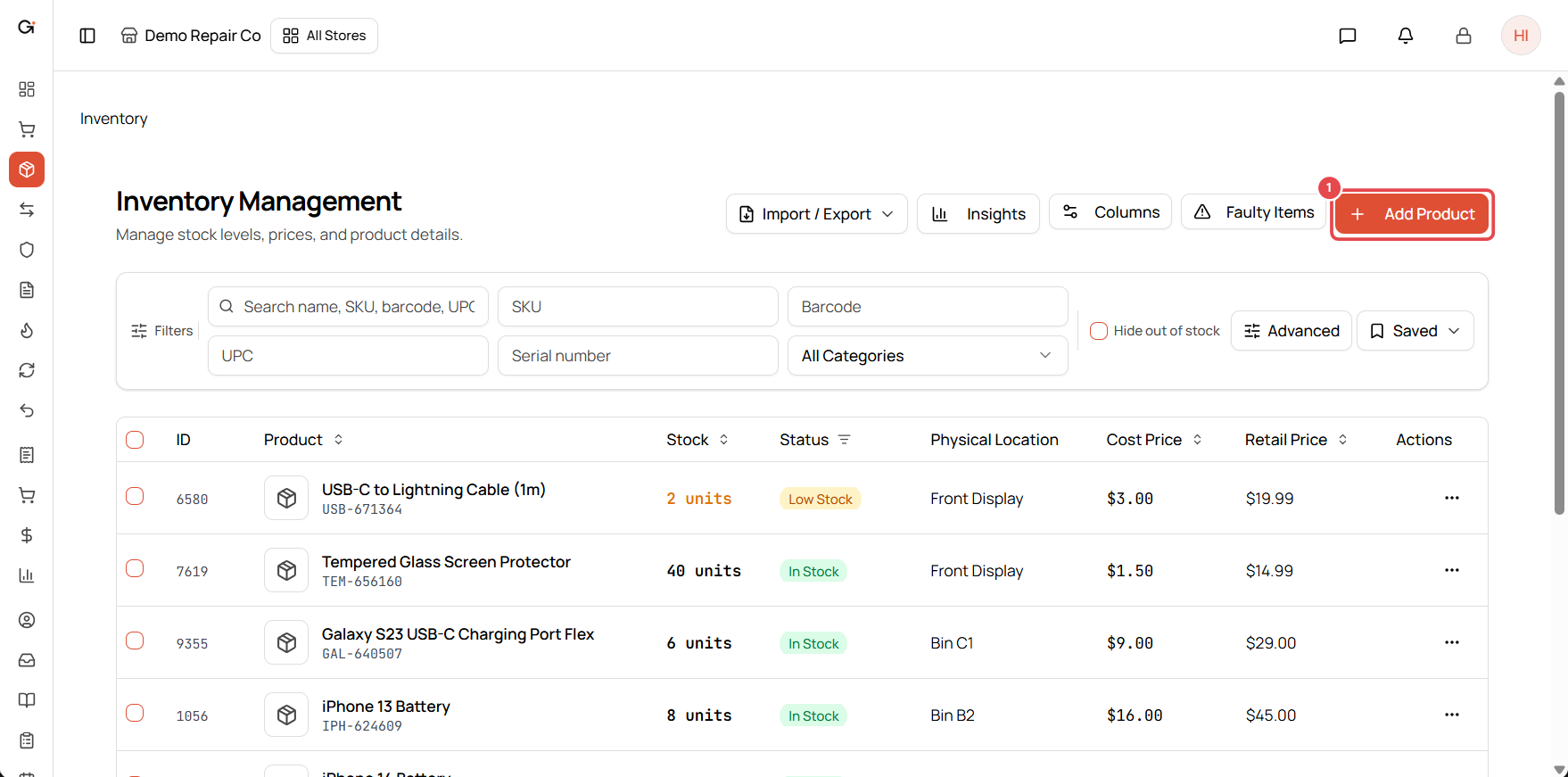
Select Inventory in the left menu, then click Add Product ①.
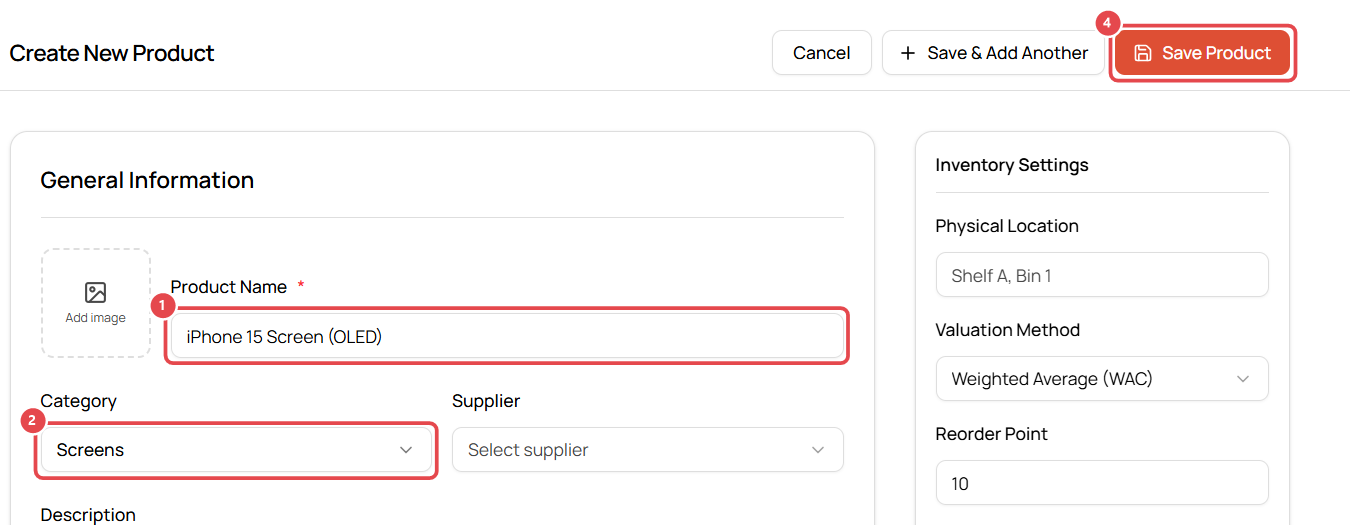
2. Enter the basics
- Product Name ①: be specific, e.g. iPhone 15 Screen (OLED). This is what your techs search for on tickets.
- Category ②: e.g. Screens. To use the product as a repair part, its category must be a repair parts category (see Make parts appear on repair tickets).
- Optionally choose a Supplier and add a Description and image.
- Turn on Serialized Inventory if you track each unit by serial number, e.g. phones you resell.
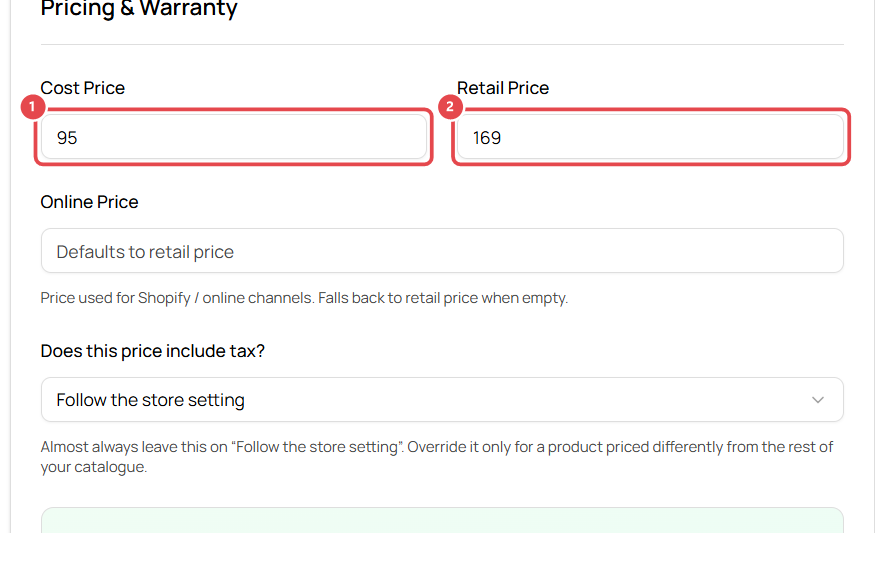
3. Set pricing
- Cost Price ①: what you pay your supplier. Used for profit reports.
- Retail Price ②: what the customer pays.
- Optional: Online Price for online channels, Warranty (days, months or years), Minimum Price and Promotional Price with start and end dates.
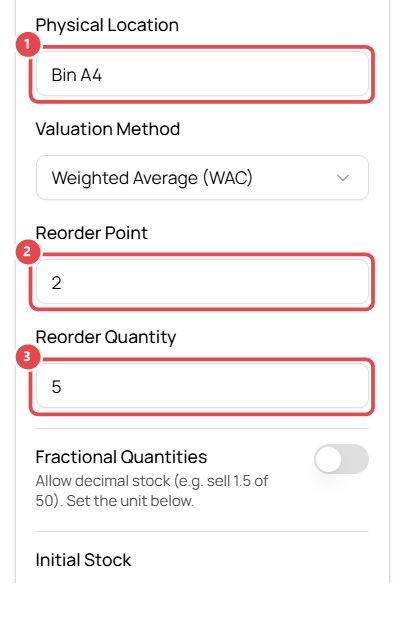
4. Set stock details
- Physical Location ①: where it lives in your shop, e.g. Bin A4.
- Reorder Point ②: when stock falls to this number, the product shows as Low Stock.
- Reorder Quantity ③: how many you usually reorder.
- Opening Stock: how many you have right now.
You can leave SKU blank. Get Repair generates one, or click Generate. Scan or type a UPC / EAN barcode if the product has one.
5. Save
Click Save Product, or Save & Add Another to add the next product straight away.
Good to know
- Low Stock shows on the Inventory list and Dashboard when stock reaches the reorder point.
- The valuation method (Weighted Average, FIFO or LIFO) controls how cost is calculated for profit reports. Most shops keep the default.
Troubleshooting
The product doesn't show up when I add parts to a ticket. Check that its category has Repair parts category turned on. See Make parts appear on repair tickets.