

Store credit is money a customer can spend in your shop. It's added when you refund to store credit, or by hand, for example as a goodwill gesture.
Check a customer's balance
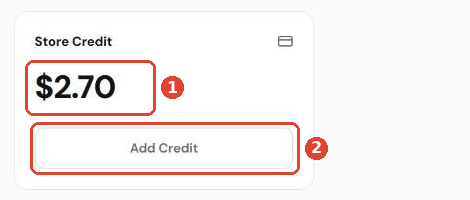
Open the customer's profile. The Store Credit card shows their balance ①. Click Add Credit ② to change it.
Add or deduct credit
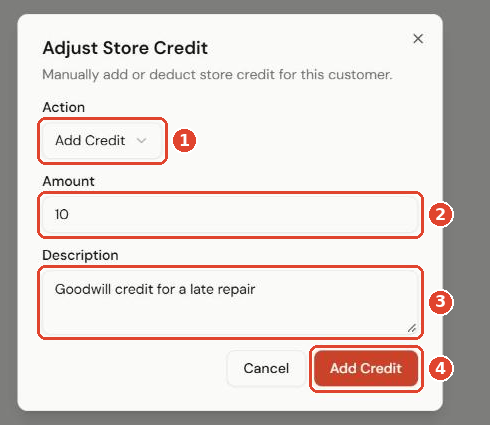
- Choose the Action ①: Add Credit or Deduct Credit.
- Enter the Amount ②.
- Add a Description ③ so your team knows why, for example Goodwill credit for a late repair.
- Click Add Credit ④.
Every change is listed on the customer's Credit History tab.
Spend store credit
At checkout, choose Store Credit as the payment method. Use it for the whole sale, or split it with cash or card. See Take payments at the POS.