

When you add parts to a repair ticket, Get Repair only lists products from repair parts categories. This keeps the parts picker clean: screens and batteries show up, but phone cases and chargers don't.
New categories have this switched off, so turn it on for each category that holds repair parts.
Who can do this: Store owners and admins. Time needed: 1 minute.
Steps
- Go to Settings → Inventory → Categories.
- Click the edit (pencil) icon next to a parts category, e.g. Screens.
- Turn on Repair parts category ①.
- Click Update ②.
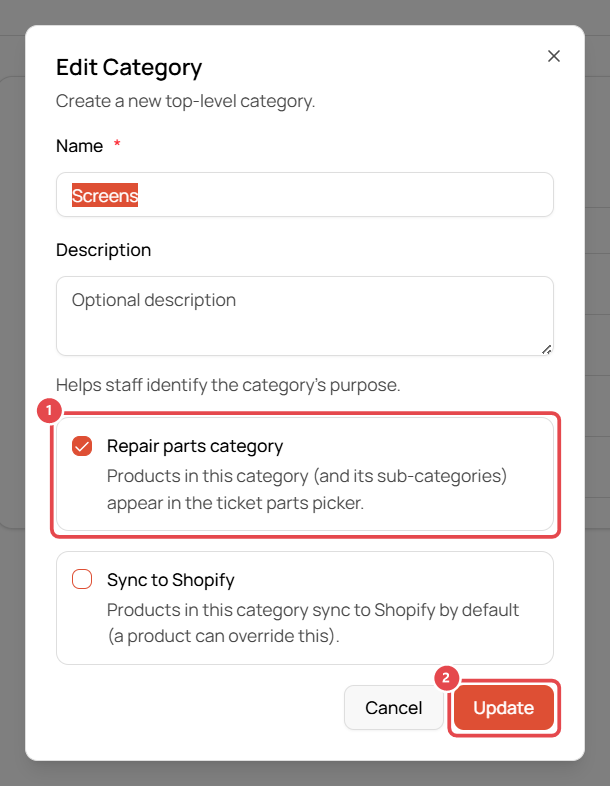
Repeat for each parts category, e.g. Screens, Batteries, Small Parts. Leave it off for retail-only categories like Accessories.
Good to know
- The setting also applies to sub-categories.
- Sync to Shopify in the same window controls whether products in the category sync to your Shopify store by default.
- To create a category, click Add Category on the same page. You can switch on Repair parts category while you create it.