

Iris reads your report data and answers questions in plain English, e.g. "What was my profit last month?" or "Which store has the best margin?"
You need: Iris AI turned on for your account.
Steps
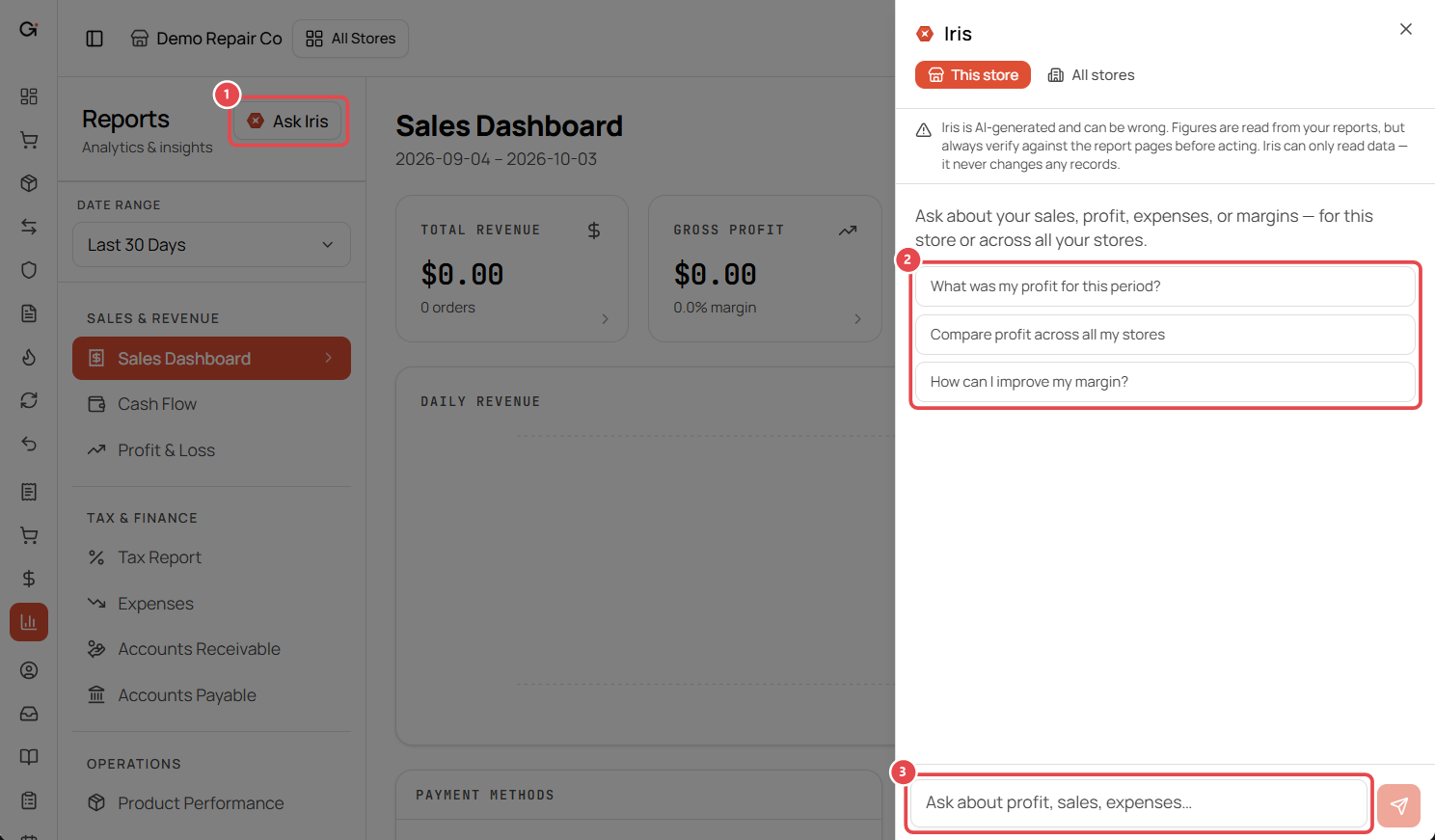
- Go to Reports and click Ask Iris ①.
- At the top of the Iris panel, choose This store or All stores.
- Click a suggested question ②, or type your own in the box at the bottom ③ and press Enter:
- What was my profit for this period?
- Compare profit across all my stores
- How can I improve my margin?
Good to know
- Iris only reads data. It never changes records.
- Always check the figures. Iris shows the dates it used (e.g. 2026-10-01 to 2026-10-03). Make sure they're the dates you meant, and confirm important numbers on the report page before acting.
- Ask follow-up questions in the same panel to dig deeper, e.g. "Break that down by week."