

Suppliers are the companies you buy parts from. Saving them lets you link products to their supplier, raise purchase orders, and return faulty parts with an RMA.
Steps
- Go to Settings → Inventory → Suppliers and click Add Supplier.
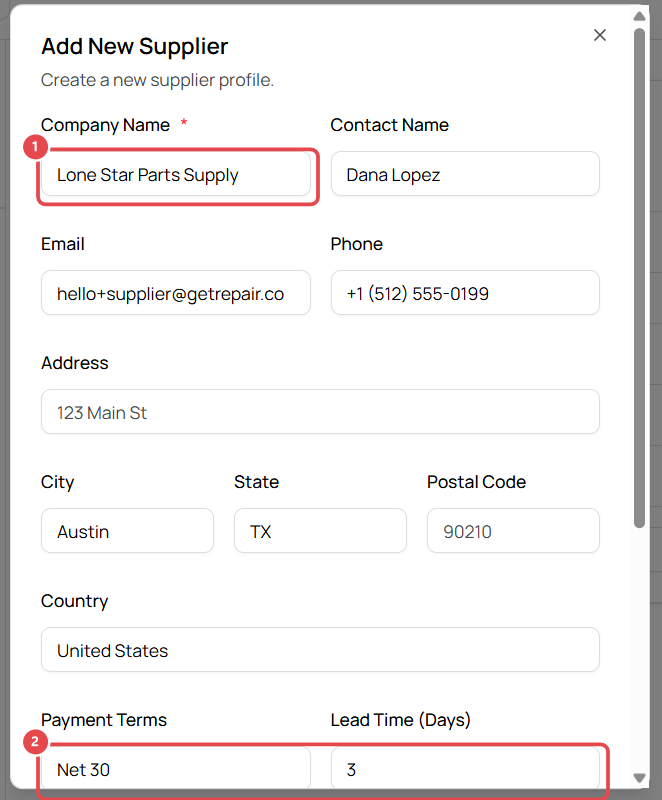
- Enter the Company Name ① (required), plus the contact name, email, phone and address.
- Add your trading terms ②: Payment Terms (e.g. Net 30), Lead Time (Days) (how long deliveries usually take) and Minimum Order Quantity.
- Add any Notes, e.g. account number or rep's direct line.
- Click Save Supplier.
Good to know
- Suppliers are shared by all stores in your organization.
- Pick a product's supplier on its product page (see Add a product or part to inventory).
- Return faulty parts to a supplier with an RMA. See Return faulty parts to a supplier (RMA).