

Record what it costs to run the shop (rent, utilities, wages, subscriptions) so your profit reports show the real picture. Purchase orders are added as expenses automatically.
Steps
- Go to Expenses and click New Expense.
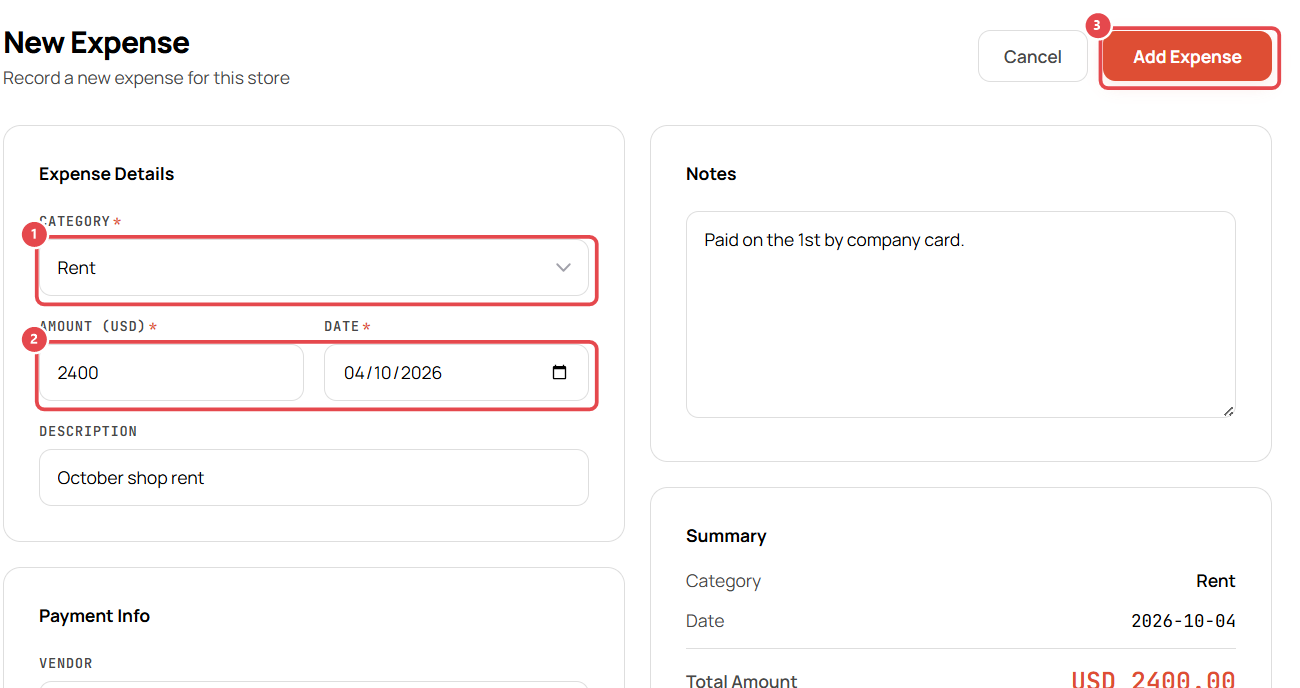
- Choose a Category ①, e.g. Rent.
- Enter the Amount and Date ②.
- Add a Description, e.g. October shop rent.
- Under Payment Info, enter the Vendor and Payment Method (Cash or Card).
- Add any Notes, then check the Summary on the right.
- Click Add Expense ③.
Review your expenses
The Expenses page shows the total for the selected dates, this month's total and purchase-order expenses. Click New Expense ① to add another. Each expense appears in the list ② with its date, category, vendor, payment method and amount.
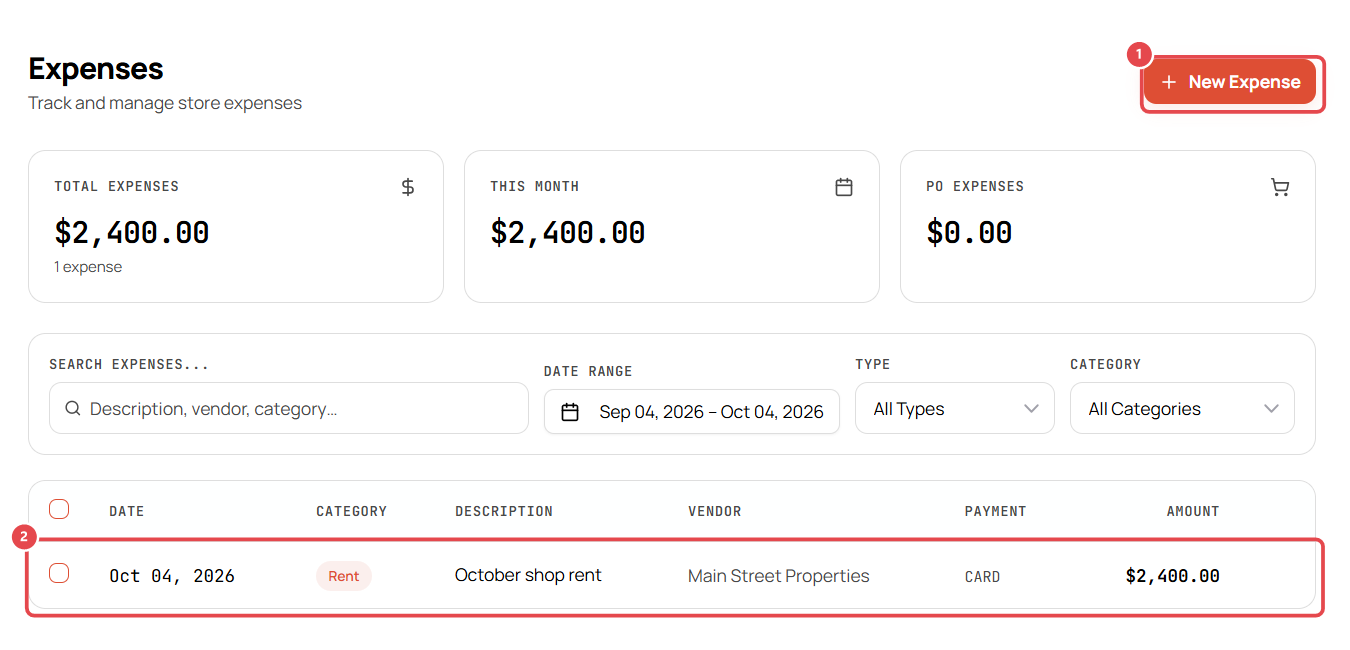
Filter by date range, type (Manual Only or Purchase Orders) and category.
Good to know
- Add or rename categories in Settings → Advanced → Expense Categories.
- Expense rules are in Settings → Advanced → Expense Settings.