

Schools, charities and resellers often don't pay sales tax. Mark them as exempt once and GetRepair won't charge them tax on any sale.
Mark the customer as exempt
- Open the customer and click Edit Customer.
- Under Billing & Tax, set Tax ① to Exempt (no tax).
- Enter the Exemption Certificate #, Issuing State / Region and, if it has one, the Expiry Date ②.
- Click Save Changes.
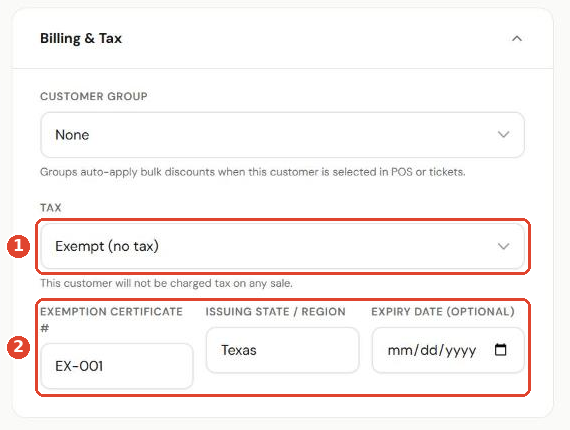
The other Tax options are Default (use the store's tax) and Override, which charges this customer a specific tax rate.
Check the profile
The customer's Account & Billing card now shows Tax exempt with the certificate number and state ①.
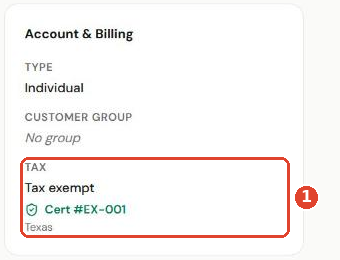
When you select this customer in POS or on a ticket, no tax is added.
Tip: Keep a copy of the certificate in your records. If it has an expiry date, check it before it runs out.